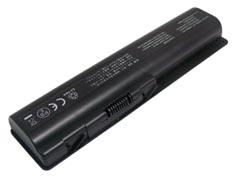
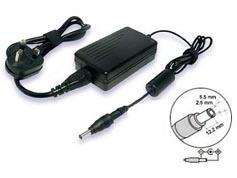
Dell W670 Battery-Replacement for Dell W670 Laptop Battery (Li-ion 5200mAh)
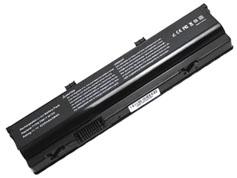
This is a laptop battery (notebook battery) replacement for Dell W670; High quality battery cells are used in our replacement Dell W670 battery pack. It is rigorously tested, with UK, CE, UL safety approval; meets or exceeds original Dell W670 battery's specifications, brand new with 1 year warranty.


 |
- W670 Battery's Specifications:
- Product ID: BM-ENDE515
- Battery Type: Li-ion
- Battery Voltage: 11.1V
- Battery Capacity: 5200mAh
- Battery Color: Black
|
|
|
Please ensure this replacement dell w670 battery that you are going to buy fits your laptop's brand, model number and OEM battery's part number. We ship to United Kingdom only.
Please press 'Ctrl+F' to search for your part number/machine model.
This W670 battery is compatible with following part numbers:
Dell
| 0D951T0F681T0HC26Y |
0W3VX3312-0207312-0209 |
312-0210991T2380FF681T |
HC26YP08G001T780R |
W3VX3W670 |
This W670 battery is compatible with following models:
Dell
| Alienware M15X Series |
Alienware P08G Series |
|
|
Fast, Safe, Satisfaction Shopping
Brand New, 1 Year Warranty, 30 Days Money Back.
All batteries are made with the high quality cells.
100% brand new and original manufacturer compatible.
Engineered and rigorously tested for voltage, capacity, compatibility and safety.
Thank you for viewing our brand new replacement dell w670 laptop battery (notebook battery). Our replacement dell w670 batteries last longer per charge and will last longer overall because whenever possible we only carry name brand battery cells. To better use your replacement dell w670 laptop battery, please take care of the precautions listed below:
1. New W670 battery pack needs to be fully charged and discharged (cycled) a few times before it can condition to full capacity.
2. Do not modify or disassemble the replacement dell w670 battery.
3. Do not incinerate or expose replacement dell w670 battery to excessive heat, which may result in an exposure.
4. Do not expose battery to water or other moist/wet substances.
5. Avoid piercing, hitting, crushing or any abuse use of the replacement dell w670 battery.
6. Do not forget to take away your W670 laptop battery from the device if you will not use it for a long time.
7. Avoid short circuit of the terminals by keeping your battery pack away from metal objects such as necklaces or hairpins.
8. Follow correct maintenance for your W670 battery when not in use. Don't leave it in direct sunlight, areas where it will be exposed to extreme temperatures such as car trunks.


 Payment & Shipping
 My Cart